2026년 6월 11일
이번 알파 버전은 Datasette 1.0의 안정화된 버전을 향한 중요한 단계로, 제가 Datasette 1.0a3에서 도입했던 ?_extra= 패턴을 테이블 외에 쿼리 및 행에도 적용하도록 확장했습니다. 이 패턴은 이제 문서화도 되었습니다!
새로운 릴리스에 대한 더 많은 내용은 Datasette 프로젝트 블로그에 작성했습니다: Datasette 1.0a33 with JSON extras in the API.
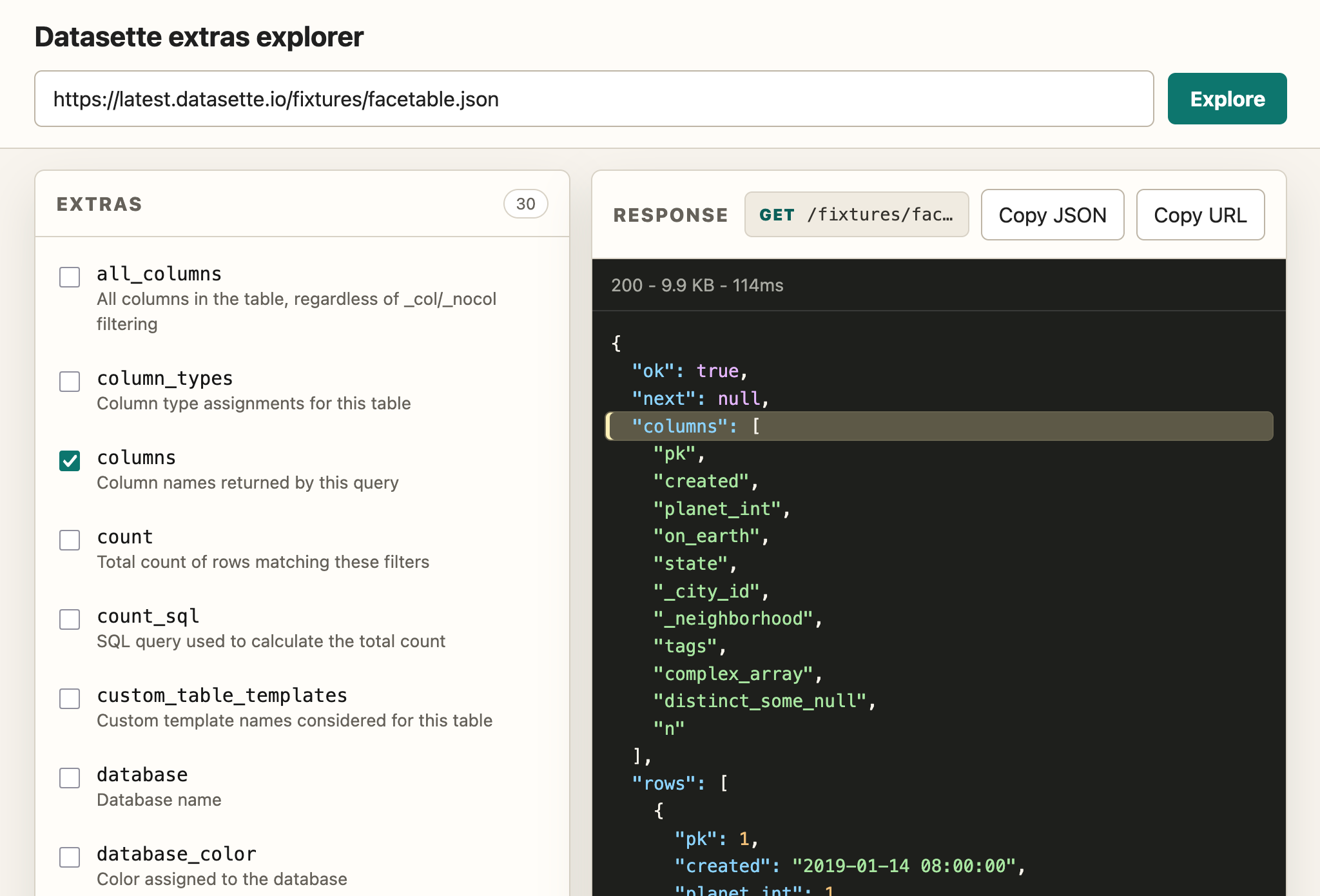
API 탐색기 도구를 만드는 것이 거의 무료가 되었기 때문에, 저는 Claude Code에서 Claude Fable 5를 (계획용으로) 그리고 Codex Desktop에서 GPT-5.5 xhigh를 (구현용으로) 사용하여 이 사용자 지정 extras API 탐색기를 만들었습니다. 이는 기능을 시연하는 데 도움이 됩니다:
Screenshot of a web application titled "Datasette extras explorer". A URL input field contains https://latest.datasette.io/fixtures/facetable.json with a teal Explore button next to it. Below, a left panel labeled EXTRAS (30) lists checkboxes: all_columns - All columns in the table, regardless of _col/_nocol filtering; column_types - Column type assignments for this table; columns (checked) - Column names returned by this query; count - Total count of rows matching these filters; count_sql - SQL query used to calculate the total count; custom_table_templates - Custom template names considered for this table; database - Database name; database_color - Color assigned to the database. A right panel labeled RESPONSE shows GET /fixtures/fac… with Copy JSON and Copy URL buttons, then a dark JSON viewer showing 200 - 9.9 KB - 114ms and JSON: "ok": true, "next": null, "columns": (highlighted array) "pk", "created", "planet_int", "on_earth", "state", "_city_id", "_neighborhood", "tags", "complex_array", "distinct_some_null", "n", "rows": list of objects.
최근 기사
- Claude Fable 5에 대한 초기 인상 - 2026년 6월 9일
- MicroPython 및 WASM을 사용한 샌드박스에서 Python 코드 실행 - 2026년 6월 6일
- Claude Opus 4.8: "소박하지만 실질적인 개선" - 2026년 5월 28일