<a href="https://github.com/orhun/rustypaste-cli"><img src="https://raw.githubusercontent.com/orhun/rustypaste-cli/HEAD/img/logo.png" width="500"></a>
A CLI 도구로 rustypaste를 사용합니다.
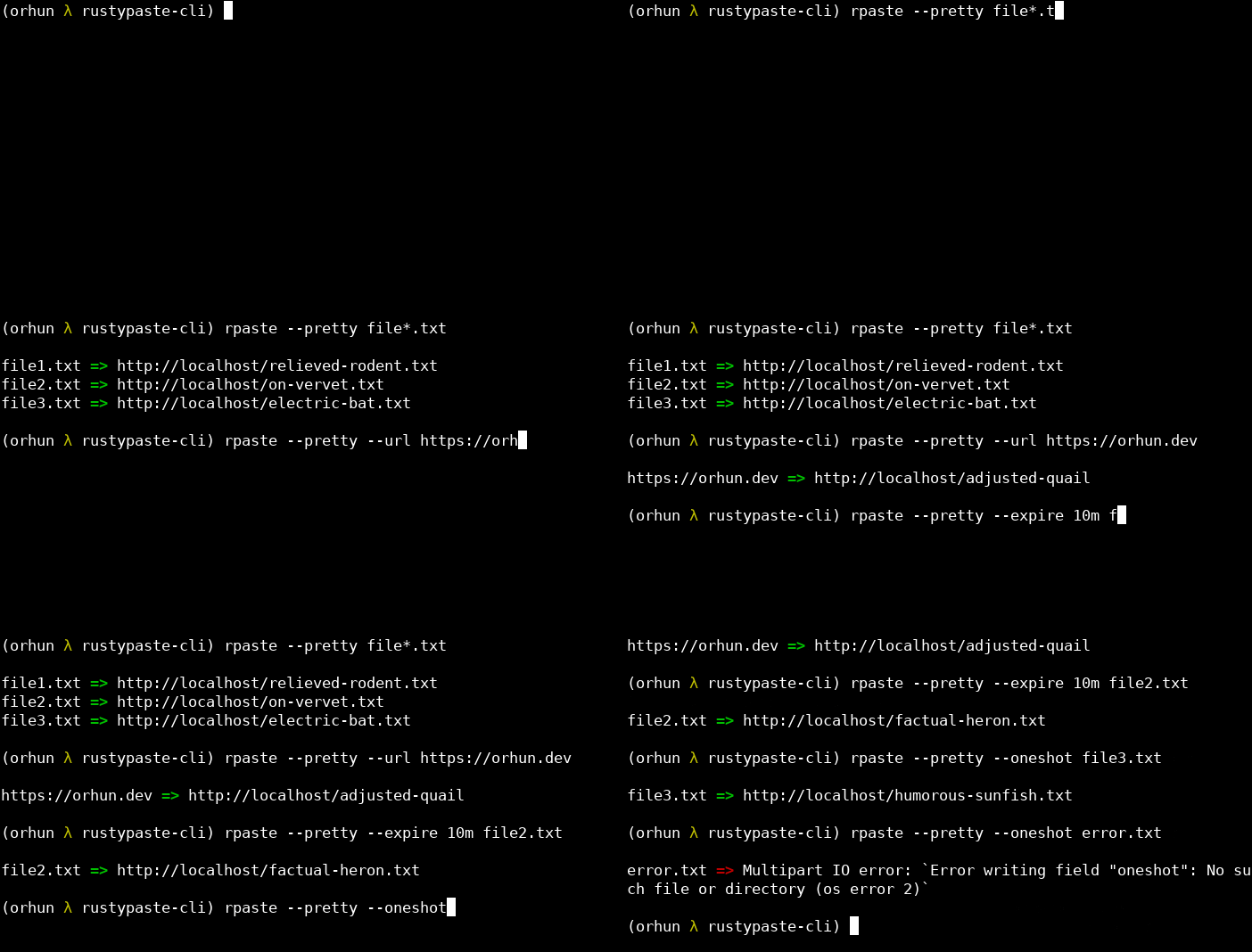
demo
설치 방법 (Installation)
crates.io
cargo install rustypaste-cli
기능 (Features)
use-native-certs: 기본 TLS 구현이 OS의 신뢰 저장소(trust store)를 사용하도록 합니다. * (비활성화됨)
크레이트 기능을 활성화하려면 다음과 같이 --features 플래그를 사용하십시오:
cargo install rustypaste-cli --features use-native-certs
Arch Linux
Alpine Linux
rustypaste-cli는 Alpine Edge에서 사용할 수 있습니다. 테스트 저장소(testing repository)를 활성화한 후 apk를 통해 설치할 수 있습니다.
바이너리 릴리스 (Binary releases)
releases 페이지에서 사용 가능한 바이너리를 확인하십시오.
소스에서 빌드 (Build from source)
git clone https://github.com/orhun/rustypaste-cli.git
cd rustypaste-cli/
cargo build --release
사용 방법 (Usage)
rpaste [options] <파일(들)>
-h, --help           도움말 정보를 출력합니다
-v, --version        버전 정보를 출력합니다
-V, --server-version 서버 버전을 검색합니다
...
자격 증명 설정 (Set credentials)
다음 중 한 가지 방법으로 자격 증명을 설정할 수 있습니다. 명령줄에 직접 설정하는 방법(권장하지 않음):
rpaste -s

```sh
rpaste awesome.txt other.txt
stdin에서 업로드
echo "Hello World" | rpaste -
URL 단축
rpaste -u https://example.com/some/long/url
URL 붙여넣기 (Paste from URL)
rpaste -r https://example.com/file.txt
일회성 업로드 (One shot)
rpaste -o disappear_after_seen.txt
일회성 URL 업로드 (One shot URL)
rpaste -ou https://example.com/some/long/url
만료 시간 설정 (Expiration)
rpaste -e 10min expires_in_10_minutes.txt
rpaste -e 1hour -u https://example.com/expire/1hour
- 지원 단위:
ns, us, ms, sec, min, hours, days, weeks, months, years
업로드된 파일 목록 보기
- JSON 대신 테이블 출력을 사용하려면
-p를 사용하세요.
서버에서 파일 삭제
rpaste -d awesome.UA86.txt other.JSNI.txt
파일 이름 덮어쓰기 (Override the filename)
rpaste -n filename-on-server.txt awesome.txt
- 이 인수가 작동하려면 rustypaste >=0.15.0이 필요하며, 그렇지 않으면 파일 이름이 덮어쓰여지지 않습니다.
- prettier 출력을 표시:
rpaste -p [...]
- 출력에서 색상 비활성화:
NO_COLOR=1 rpaste -p [...]
설정 (Configuration)
설정 파일은 --config 인자 및 RPASTE_CONFIG 환경 변수를 통해 지정할 수 있으며, 다음 전역 위치에 배치할 수도 있습니다:
<config_dir> / rustypaste/config.toml<home_dir> / .rustypaste/config.toml
<config_dir>는 다음 표와 같이 플랫폼에 따라 다릅니다:
| 플랫폼 | 값 | 예시 |
|---|
| Linux | • $XDG_CONFIG_HOME <br> • $HOME/.config | /home/alice/.config |
| ... | | |
| 설정 옵션은 config.toml를 참조하세요. | | |
기여하기 (Contributing)
풀 리퀘스트(Pull request)를 환영합니다!
라이선스 (License)
<sup >모든 코드는 <a href="LICENSE">The MIT License</a> 하에 라이선스가 부여됩니다.</sup>