2026년 11월 14일
datasette-llm
은 Datasette용 중간 플러그인으로, 다른 Datasette 플러그인과 함께 사용하기 위해 LLM을 구성하는 것을 지원합니다.
이번 릴리스는 OpenAI와 호환되는 엔드포인트에 대한 지원을 추가하여, 어느 곳에서든 OpenAI 가짜 표준 웹 프로토콜(pseudo-standard web protocol)을 사용하는 LLM에 Datasette를 구성할 수 있게 합니다.
이는 LM Studio나 Ollama 또는 llama.cpp(방금 v1.0.0에 도달함)와 같은 곳에서 로컬 모델을 실행하는 경우, uvx를 통해 Datasette를 실행할 수 있다는 것을 의미합니다.
wget https://datasette.io/content.db
uvx --with datasette-agent datasette \
--root --secret 1 \
...
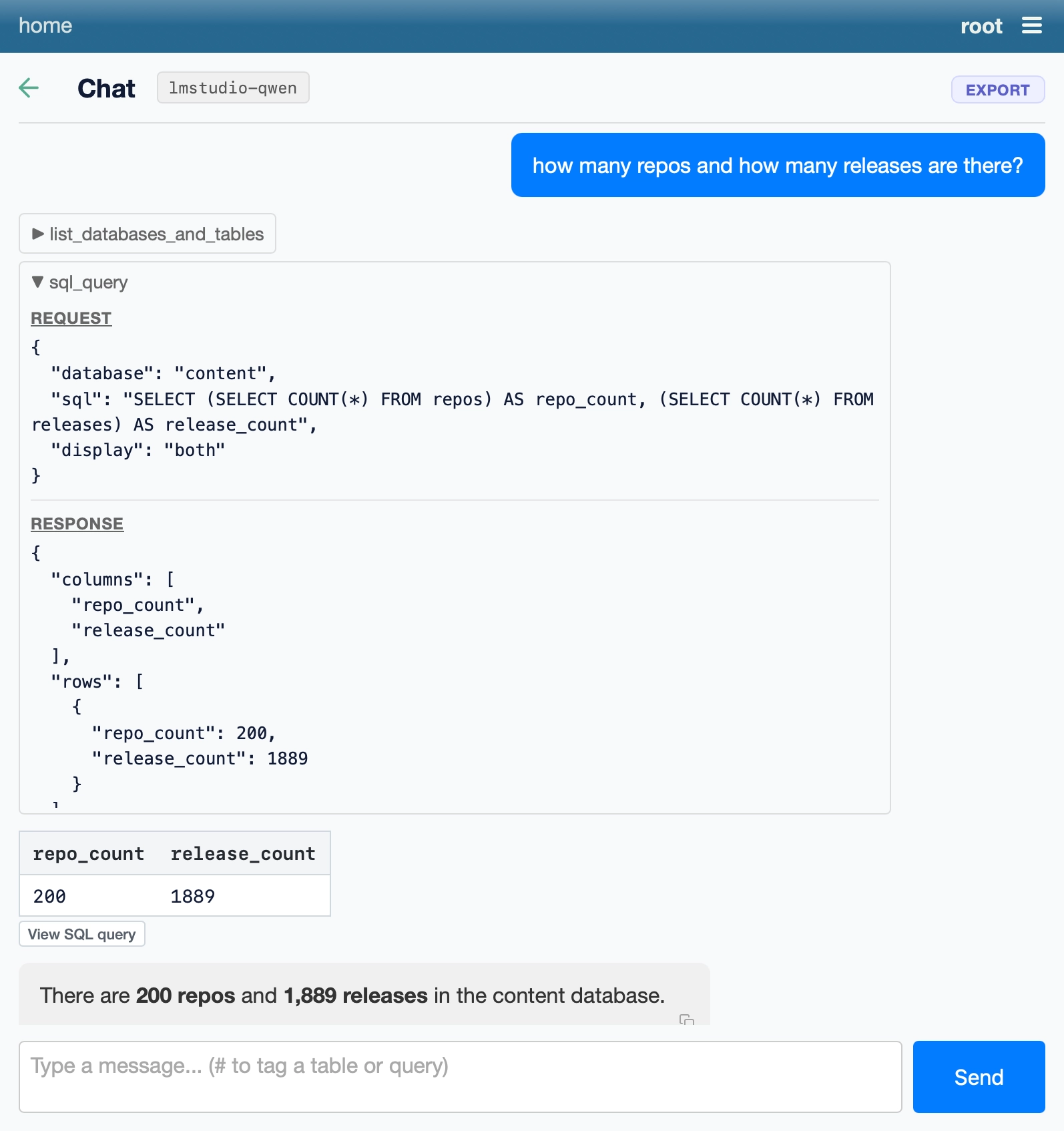
그러면 로컬 모델을 기반으로 구동되는 Datasette Agent 인스턴스를 실행하는 로컬 서버를 얻게 됩니다!
Screenshot of a chat interface. Header bar reads "home" on the left and "root" with a hamburger menu icon on the right. Below is a back arrow, the heading "Chat", a model label "lmstudio-qwen" and an "EXPORT" button. A blue user message bubble says "how many repos and how many releases are there?" Below it is a collapsed tool call "list_databases_and_tables" and an expanded tool call "sql_query". Its REQUEST section shows database "content", display "both" and the SQL: SELECT (SELECT COUNT() FROM repos) AS repo_count, (SELECT COUNT() FROM releases) AS release_count. Its RESPONSE section shows columns repo_count and release_count with a single row of 200 and 1889. Below that is a table with columns repo_count and release_count and one row: 200, 1889, followed by a "View SQL query" button. The assistant reply reads "There are 200 repos and 1,889 releases in the content database." At the bottom is a text input with placeholder "Type a message... (# to tag a table or query)" and a blue "Send" button.
최근 기사들
- Claude로 신비한 비프음의 출처 찾기 - 2026년 11월 9일
-
<details><summary> 뒤에 숨겨진 슬롭 PR 설명을 하는 방법 - 2026년 11월 9일
- 내 노트북에서 실행하는 Qwen 3.8 27B로 모델 가중치 해석하기 - 2026년 11월 3일
- 미국 인구조사국과 “슈퍼 인텔리전스” - 2026년 11월 2일