2026년 6월 15일
- 새로운 도구,
execute_write_sql
이 도구는 사용자에게 승인을 요청한 후, 사용자의 권한을 고려하여 데이터베이스에 쓰기 작업을 수행합니다. #27
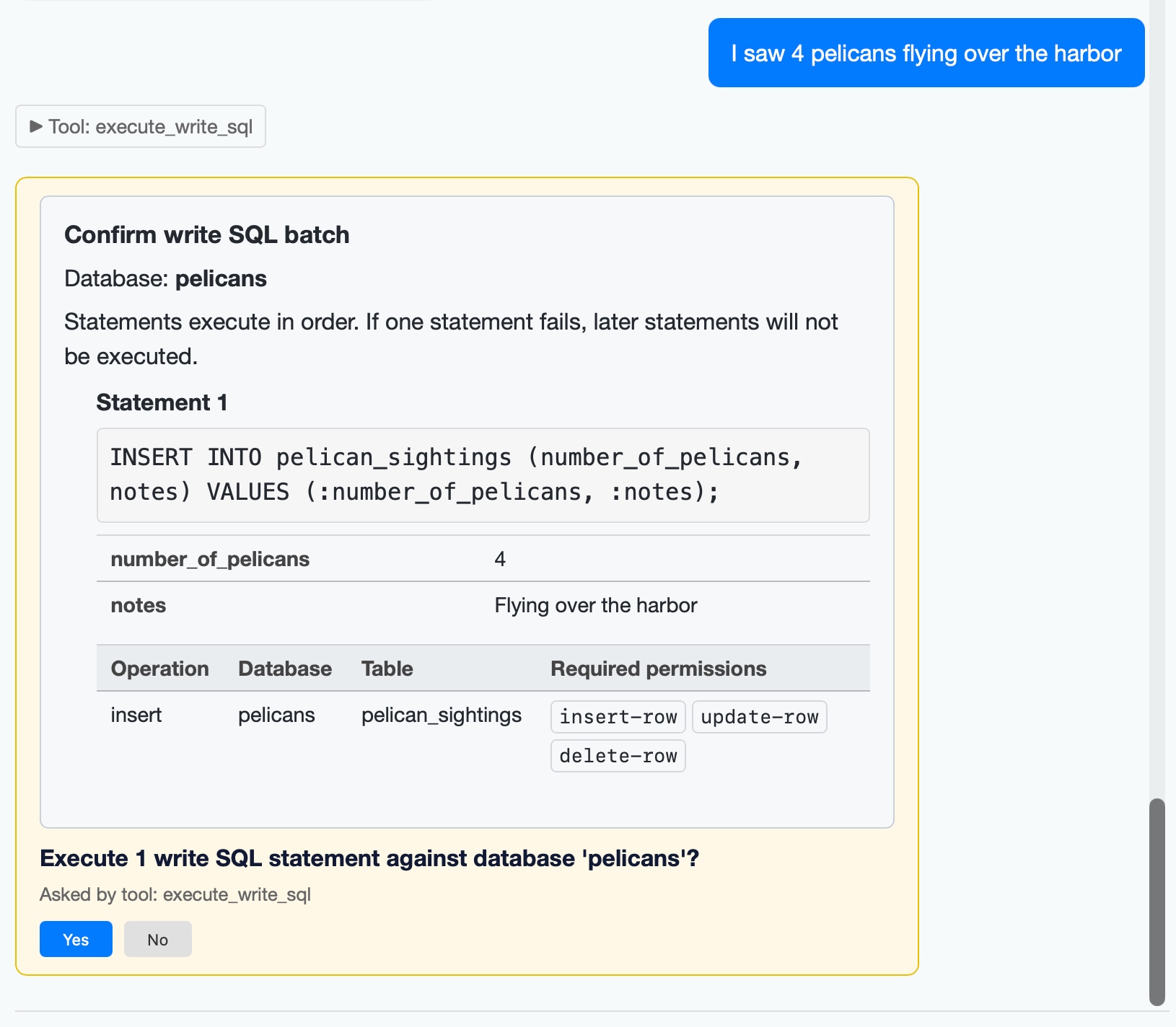
datasette agent 0.2a0에서 사용자 승인 요청 메커니즘을 추가했습니다. 새로운 execute_write_sql 도구를 사용하여 모든 종류의 유용한 작업에 대해 사용자에게 프롬프트를 보낼 수 있게 되었습니다. 예를 들어, pelican_sightings 테이블에 일부 펠리컨 목격 기록을 추가하는 예시가 있습니다:
Screenshot of a chat interface showing a write SQL confirmation dialog. User message (blue bubble): "I saw 4 pelicans flying over the harbor". Collapsed tool section: "► Tool: execute_write_sql". A yellow-bordered confirmation card reads: "Confirm write SQL batch / Database: pelicans / Statements execute in order. If one statement fails, later statements will not be executed. / Statement 1 / INSERT INTO pelican_sightings (number_of_pelicans, notes) VALUES (:number_of_pelicans, :notes); / number_of_pelicans 4 / notes Flying over the harbor". A table with columns "Operation, Database, Table, Required permissions" shows row: "insert, pelicans, pelican_sightings" with permission buttons "insert-row", "update-row", "delete-row". Below: "Execute 1 write SQL statement against database 'pelicans'? / Asked by tool: execute_write_sql" with "Yes" (blue) and "No" (gray) buttons.
새 버전에서는 또한 datasette agent chat 터미널 모드를 개선하여 승인을 지원하고, --unsafe와 같은 여러 새로운 옵션을 추가했습니다. 이 옵션은 모든 질문에 자동으로 승인합니다:
datasette agent chat
이제 사용자 승인이 필요한 도구를 실행할 수 있습니다. #30 - datasette agent chat을 위한 세 가지 새 옵션
--root: root로 실행--yes: 모든 사용자 질문에 승인--unsafe: 위 두 기능 모두 지원.- 이제 도구는 HTML 대신 일반 텍스트 대안을 제공하여
datasette agent chat CLI에서 표시할 수 있습니다. #31
datasette agent chat content.db -m gpt-5.5 --unsafe 명령어를 사용하여 특정 데이터베이스와 직접 채팅하고,